

Edit Apache configuration files
Open Apache Configs, select a managed server and edit its configuration files. Review differences against stored versions before deciding which changes to apply.
Apache configuration guideManage Apache HTTP Server configurations, certificates and logs.
Roxy-WI gives Apache HTTP Server administrators a self-hosted web GUI for working with existing hosts. Select a server, edit its configuration, compare versions and investigate service logs from the same interface used for your load balancers.
Free Manual plan available · Compare features and plans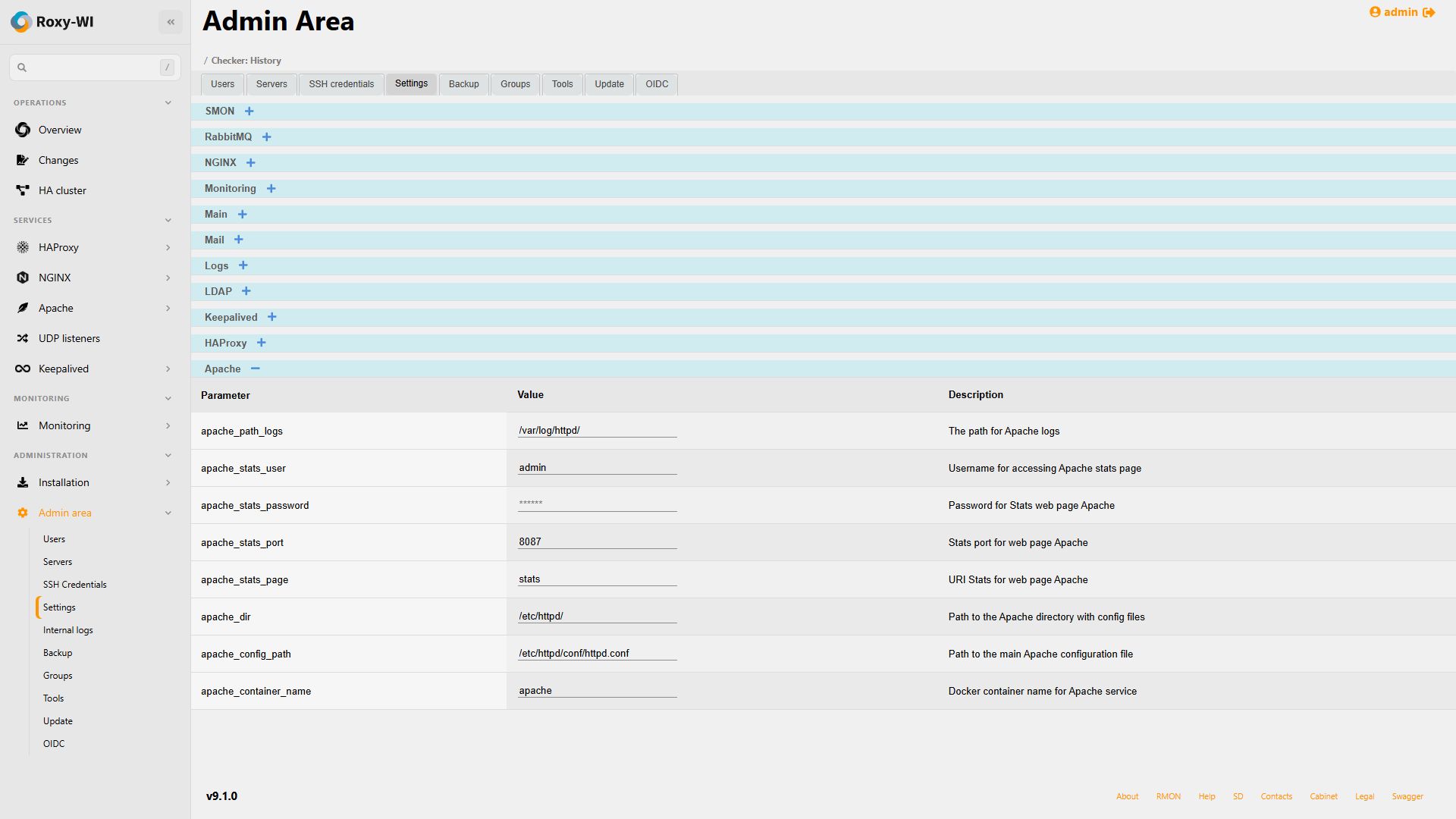
Open Apache Configs, select a managed server and edit its configuration files. Review differences against stored versions before deciding which changes to apply.
Apache configuration guideInspect Apache logs from the service Logs page. Configure the log location and SSH access to match the host or the central syslog server used by your installation.
Log viewer guideAccess certificate management from the Apache SSL section. Use the Let's Encrypt workflow where its domain-validation requirements can be met.
Let's Encrypt setupConfigure the Apache statistics address, port and credentials in Roxy-WI. Checker and Metrics use the configured endpoints for supported health and connection measurements.
Apache statistics setupChoose Linux packages, Docker Compose or Kubernetes for the management application. Ensure it can connect to the Apache host over SSH.
Installation optionsAdd the server and SSH credentials, enable Apache and check its configuration and log paths. Paths differ between distributions, so use the values from the actual host.
Server setup guideOpen the Apache configuration editor, then configure the statistics endpoint if you need status data. Test access before enabling the related monitoring services.
Connect Apache statisticsGroup your Apache servers and assign roles and service permissions. Start with the free Manual plan for the core interface and community support; check feature availability before enabling additional services.
Set up groups and rolesNo. Roxy-WI can manage an existing remote Apache host using SSH credentials. Configure the target host and its service paths in the server inventory.
Use the configuration directory and main file from your installation. Roxy-WI exposes Apache path settings so the interface can work with the layout on the managed server.
Adding an SSH connection does not automatically make the statistics endpoint reachable. Check the Apache statistics configuration, port, access restrictions and credentials, then follow the statistics setup guide.
Reviewed .
Configure reverse proxies and upstreams, manage TLS and inspect service logs.
Manage listeners, backend servers, configuration history and Runtime API operations.
Edit HTTP Server configurations, manage certificates and troubleshoot with logs and statistics.
Manage VRRP virtual IPs, cluster members and Keepalived configurations.