

Reviewed HA node maintenance
Last updated: · Applies to Roxy-WI 10.0 and later.
Plan, independently approve and verify node drain and return for Keepalived and Pacemaker through Premium Change Center.
Prepare the maintenance plan
Open Operations → HA cluster → Actions → Node maintenance. The workflow requires Premium Change Center and cluster service permission. It handles registered resources and VIPs; rebooting, patching or repairing the host is a separate operator task.
Choose the member, enter a change title and record why the remaining nodes can carry the workload. The capacity statement is your assertion: a placement simulation does not measure application throughput. Operators can create plans; approvals require another enabled administrator in the same group with HA access. Protected-node actions also require an administrator.
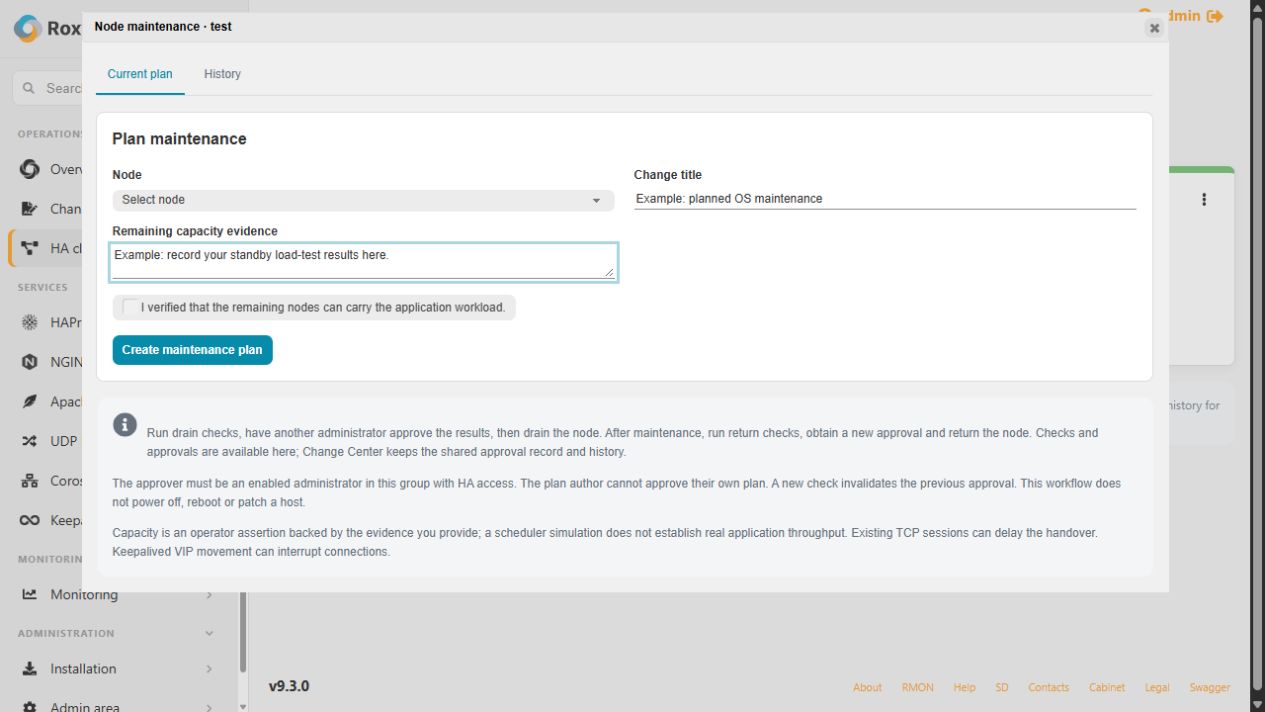
Review, approve and drain
- Select Run drain checks and inspect quorum, placement, identities, configuration and capacity evidence.
- An eligible administrator other than the author reviews the plan and selects Approve drain. Approval is also available in the linked Change Center details.
- Select Drain node. The worker rechecks the approval and current cluster before acting.
- Wait for Ready for maintenance. This requires observed resource/VIP movement and drain of detected VIP sessions.
Do not start host maintenance while the plan is still checking, draining or unknown. Re-running checks invalidates the earlier approval. Closing the dialog leaves the operation running; reopen it to follow status. The cluster card shows the active plan, and completed/cancelled plans remain in History.
What changes on the node
| Cluster | Behavior and requirements |
|---|---|
| Pacemaker | Checks remaining quorum and offline scheduler placement, then puts the member in standby. Fencing must be enabled, resources managed and members healthy. The selected node must become empty without losing a workload's last required active/promoted instance. |
| Keepalived | Requires healthy peers and one owner for each VIP. Records the original startup policy, persistently masks and stops native Keepalived, and verifies VIP movement and session drain. Independent Keepalived Auto Start must be disabled. |
VIP movement can interrupt connections. This does not prove application transaction completion, fencing or partition safety. Automatic containerized Keepalived drain is currently refused; custom included configuration may also need separate review.
The reservation prevents conflicting member, configuration, certificate and service mutations while the node is handed over. Read-only status remains available. Keep the reservation until the reviewed return completes.
Return after host work
- Restore connectivity and complete the external host work.
- Select Run return checks and inspect current placement and configuration.
- Obtain a new independent Approve return decision.
- Select Return node and verify completion.
Pacemaker restores eligibility; resources need not move back to this node. Keepalived removes the owned maintenance mask and restores the recorded startup policy. Both a verified drain and return are required to create an observed planned-maintenance record in HA readiness.
Recover interrupted maintenance
An interrupted write is not replayed automatically. Use Verify drain to observe current state without repeating the write, or review a return for independently approved recovery. Identity or configuration drift invalidates old approval. A timeout is not successful handover.
After handover, cancelling the reservation is not a substitute for returning the node. Inspect the plan's history and recover access to its original members. Before upgrading an installation with legacy active plans, finish their approved return using the previous application version; do not clear reservations to bypass migration checks.